Build your own route — leg by leg, your way
Plenty of Loopers don't run the standard line. Now you can build the route you'll actually travel: tap your way through each fork, add the side trips you want, and save the whole thing as one continuous loop. No waypoints, no drawing.
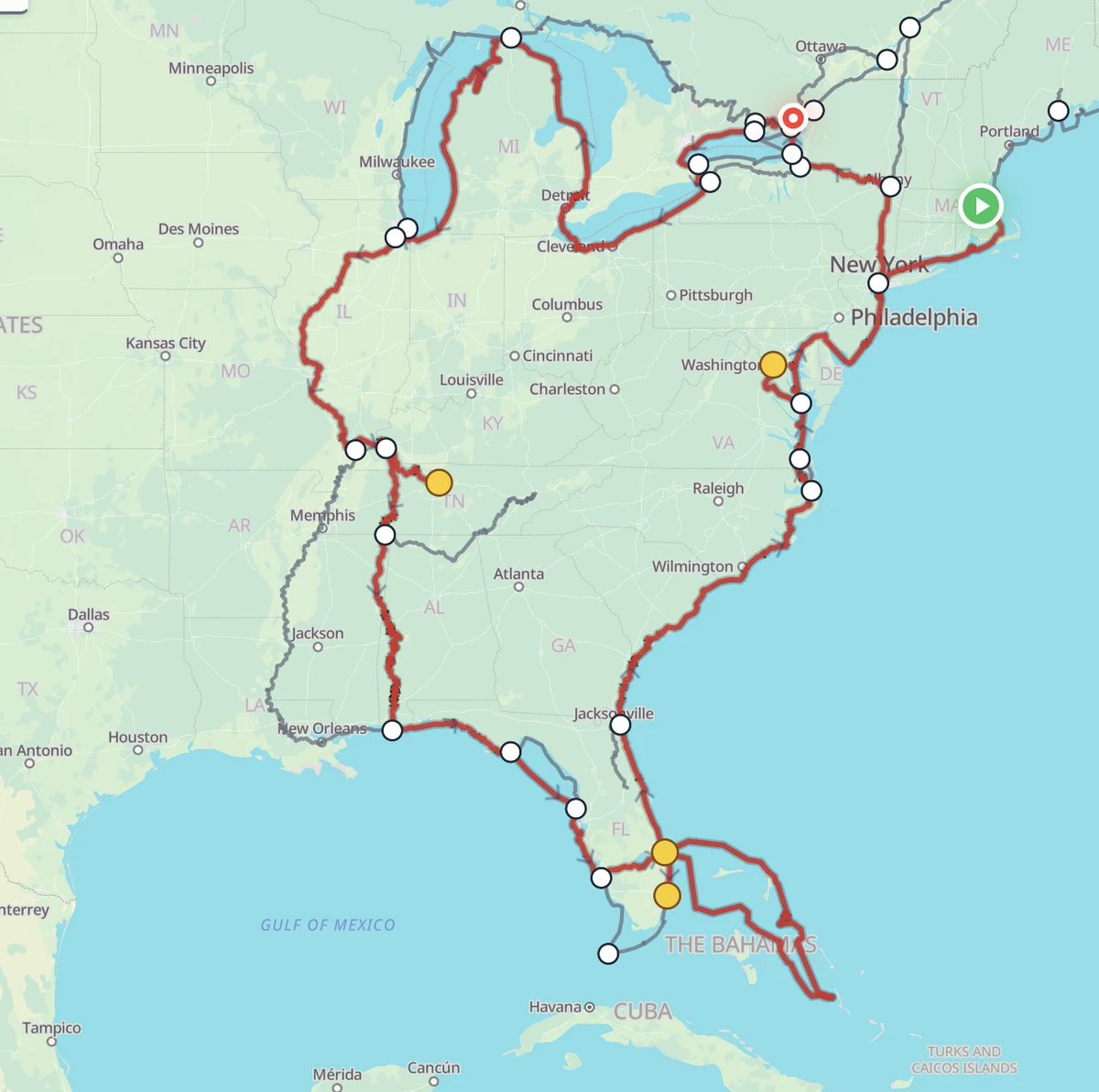
Why we built it
About half of Loopers run the classic route start to finish. The other half don't — they hug the Canadian shore, take the Tenn-Tom instead of the lower Mississippi, run the Rideau to Ottawa, tack on the Saguenay. We kept adding canned route options to cover the popular variations, and it was never going to keep up: people choose paths, not menu items.
So we built a route builder that lets you assemble your own path from the same waterways and junctions the standard routes are made of — and keeps it one continuous, valid loop the entire time.
Start with one tap
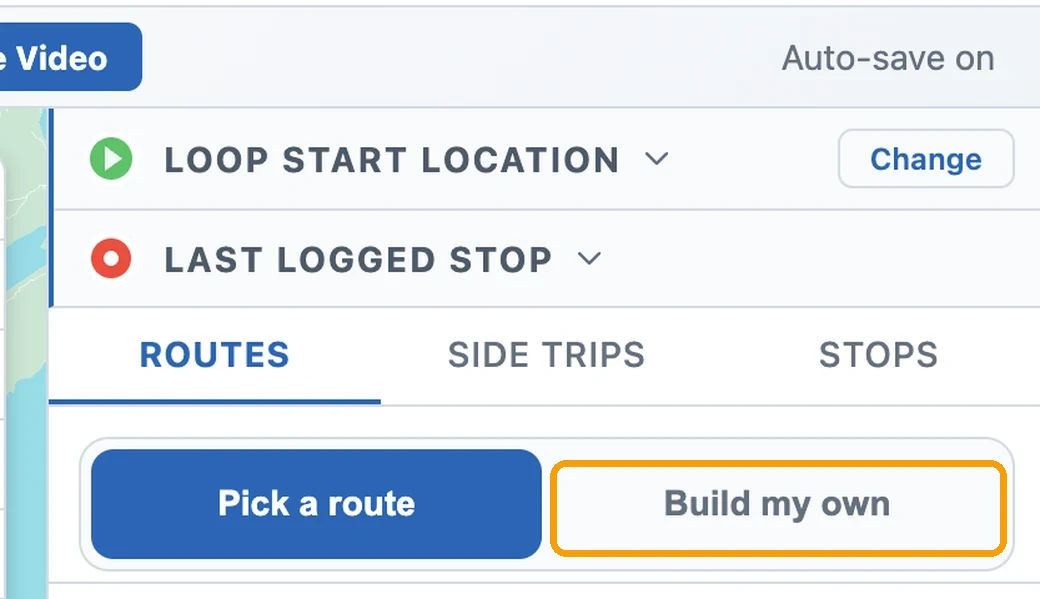
Open the Plan tab, go to Routes, and flip the switch at the top from Pick a route to Build my own. The map takes over and a panel opens at your home port — a blank canvas with your start on the map and nothing else committed yet.
Walk your loop, leg by leg
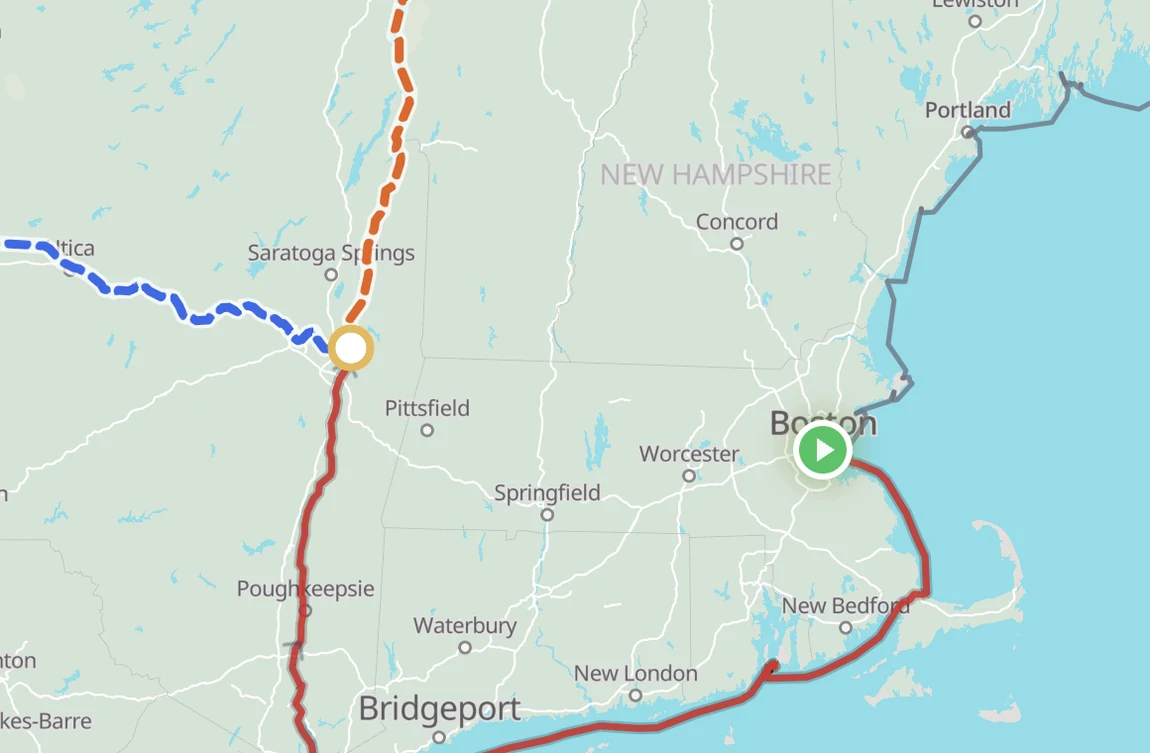
From your start, the legs you can take next are highlighted right on the water. Tap one to add it; the panel keeps a running tally of your legs and miles. When more than one way leads onward, you're at a fork — each option is its own colored line with its distance, and you tap the one you want. Oswego or the Welland Canal. The inside passage or the open lake.
Made a wrong turn? Back a step peels off the last leg; Start over clears the build. Nothing you tap is committed until you save.
Add the side trips you want
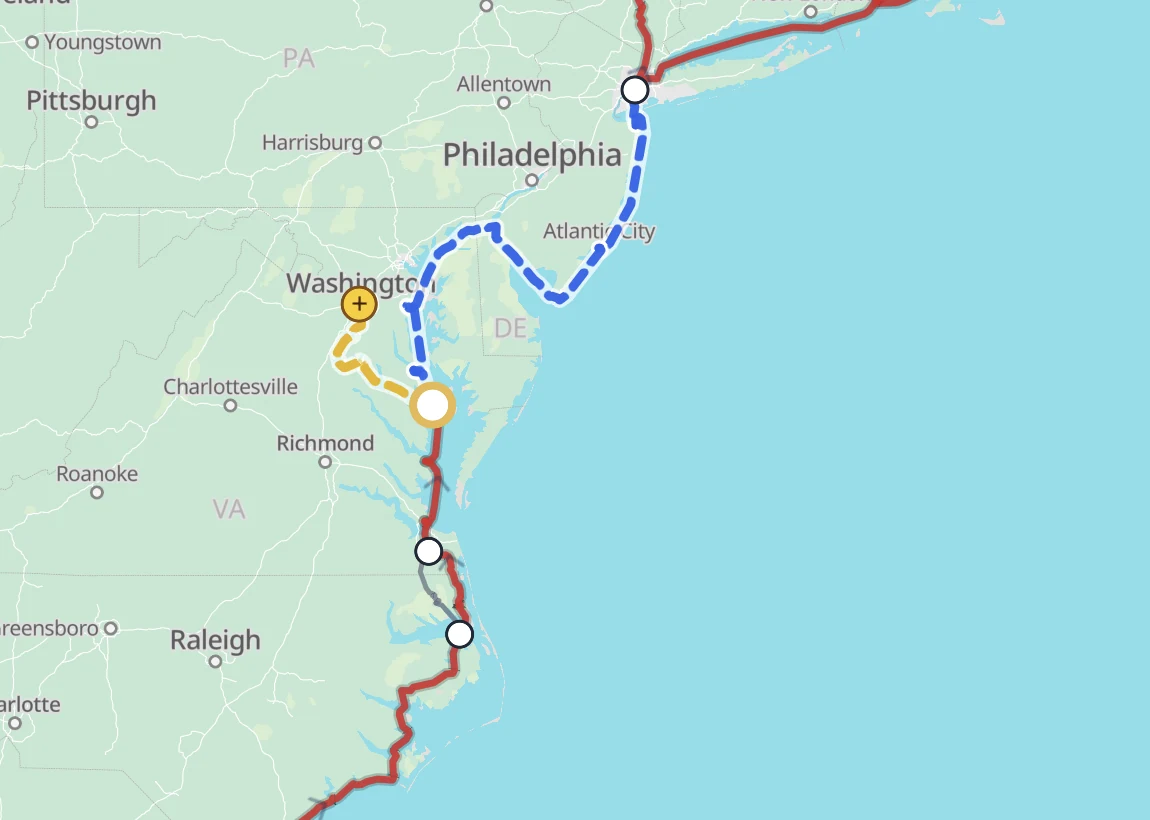
Side trips — the Saguenay Fjord, the Rideau to Ottawa, Lake Champlain, the Keys, the Potomac up to D.C. — branch off your route and come back. Where one is offered, a yellow dot sits at the end of a short branch. Tap it and the side trip weaves in as an out-and-back.
Don't want to run all the way to the end? Set a turnaround partway — or drag the yellow dot along the branch — and the trip stops where you do.
Always one whole loop — and yours to change
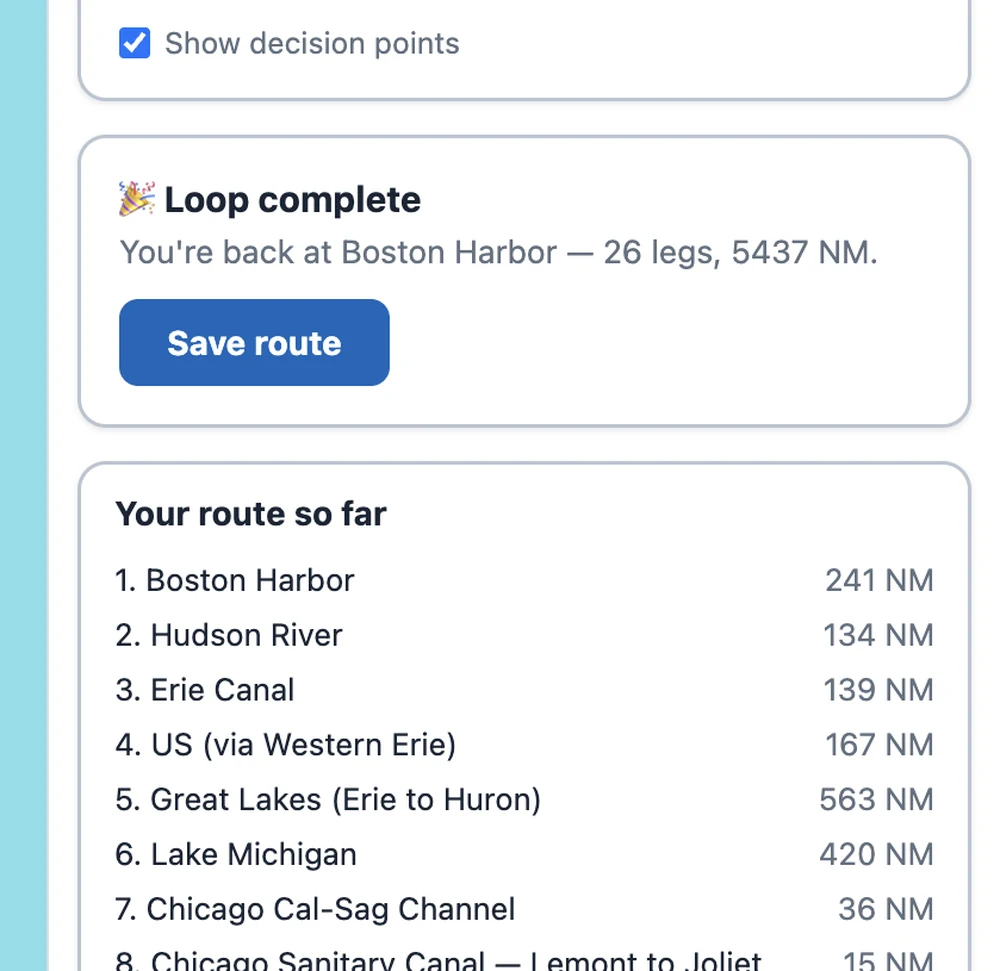
Keep walking until your route comes all the way around to your home port. The moment it closes, a Save route button appears — you can only save a loop that actually closes, so you're never left with a broken path. Save it and every map, briefing, and timeline follows the route you built, side trips and all.
A saved route isn't locked away. Open it and tap Edit route to walk it again, and — before your trip starts — you can switch back to a standard route anytime.
There's a step-by-step guide
We also wrote a full how-to with screenshots of every step. Find it in Learn → How-Tos, or go straight to “How to Build a Custom Route in Loop Captain.”