Log your day in seconds — and a briefing that keeps up
Setting tonight's stop and tomorrow's destination now happens right inside your log — no more bouncing out to the planner and back. My Trip is rebuilt around the leg you're actually on, you can log or fix any day, and your morning briefing refreshes the moment your plan changes.
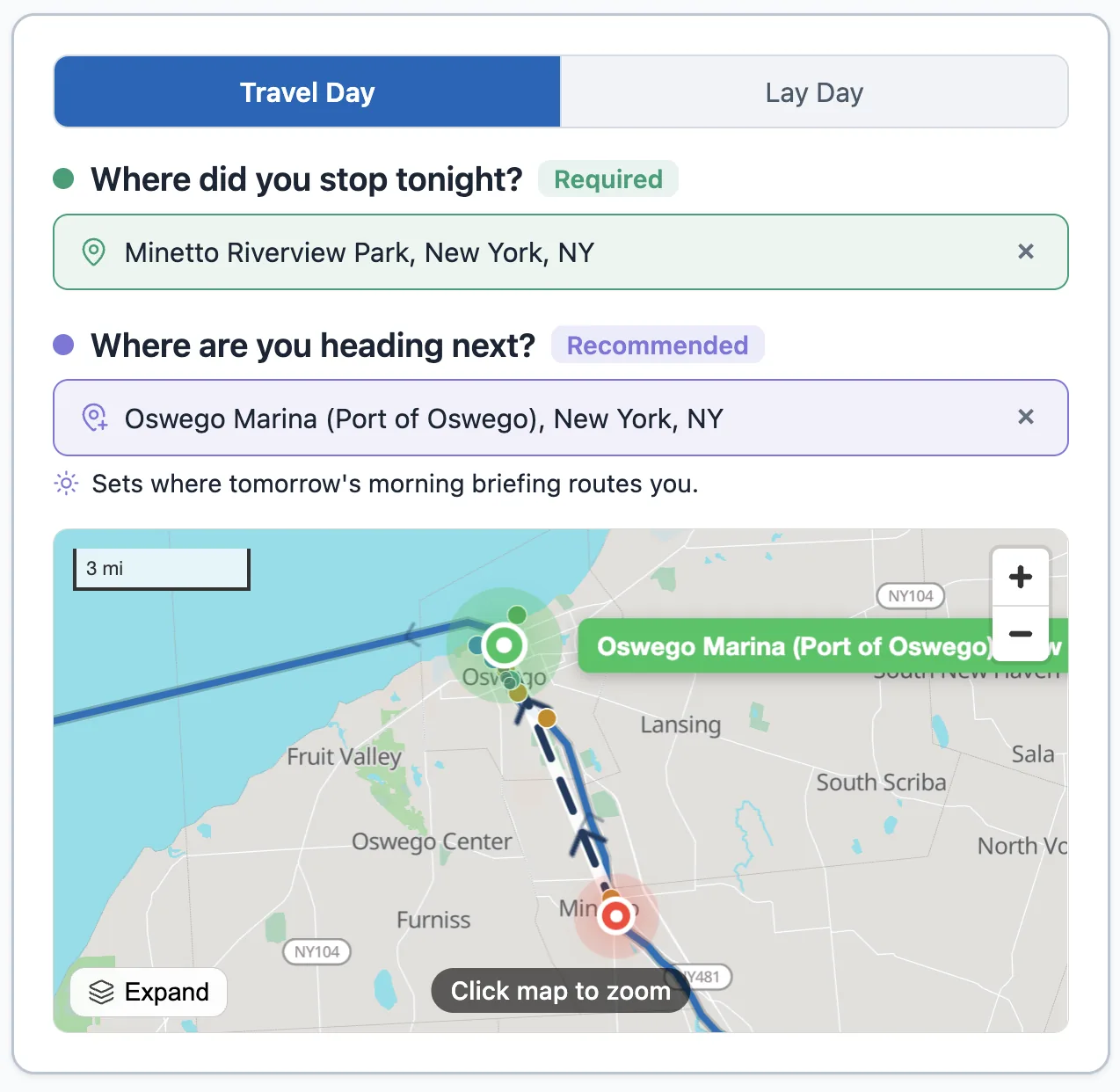
Log your stop without leaving the page
When you log a travel day, "Where did you stop tonight?" and "Where are you heading next?" are now answered right there in the log. No round-trip out to the planner and back — the page you start on is the page you finish on.
Three ways to set a spot, whichever is easiest in the moment:
- Search a marina, anchorage, or town and pick it from the list.
- Tap the map to drop a pin exactly where you tied up.
- Use my location — one tap grabs your current GPS position for tonight's stop.
A clearer My Trip page
My Trip now leads with the leg you're actually on: your last stop and your next destination, side by side and always in view. If you haven't set where you're heading next, there's a gentle nudge to do it — because that's what your briefing plans around.
We also untangled the status. Before, the page could read "arrived" and "lay day" and "out of date" all at once. Now there's one honest answer to "where am I, what's my next leg, and is my briefing current?" — and an out-of-date briefing is clearly flagged as something to refresh, not a competing status.
Everyday things sit up top; trip setup, position history, and your send-off are tucked into tidy sections you can open when you need them.
Log — or fix — any day
The log now shows the date up front, with back and forward arrows. Missed logging a stop a couple of days ago? Step back and add it. Need to fix something on an earlier day? Step to it and edit. You can move through your whole trip a day at a time — and you can't accidentally log a day in the future.
A briefing that keeps up with your plan
Your morning briefing now keys off your actual plan. Change where you stopped or where you're heading next, and your next briefing is built around the new details — and you no longer have to wait out a fixed time window to get an updated one. When nothing has changed, the app reuses your existing briefing instead of regenerating an identical one. And if your plan changes during the day, My Trip flags that your briefing is out of date and gives you a one-tap regenerate, so you can refresh it on the spot.
We also tightened up accuracy: briefings stick to the real geography of your route, don't invent details that aren't in your logs, and handle bridge and weather-alert wording more carefully — so what you read in the morning matches what you find on the water.