My Trip, redesigned around your day
Your trip page is now three clean cards — where you are, what's next, and your log — with your plan and its morning briefing finally living together. One line tells you whether your briefing covers the leg you're on; one button refreshes it. And every date is written out in full, so there's never a doubt which day we mean.
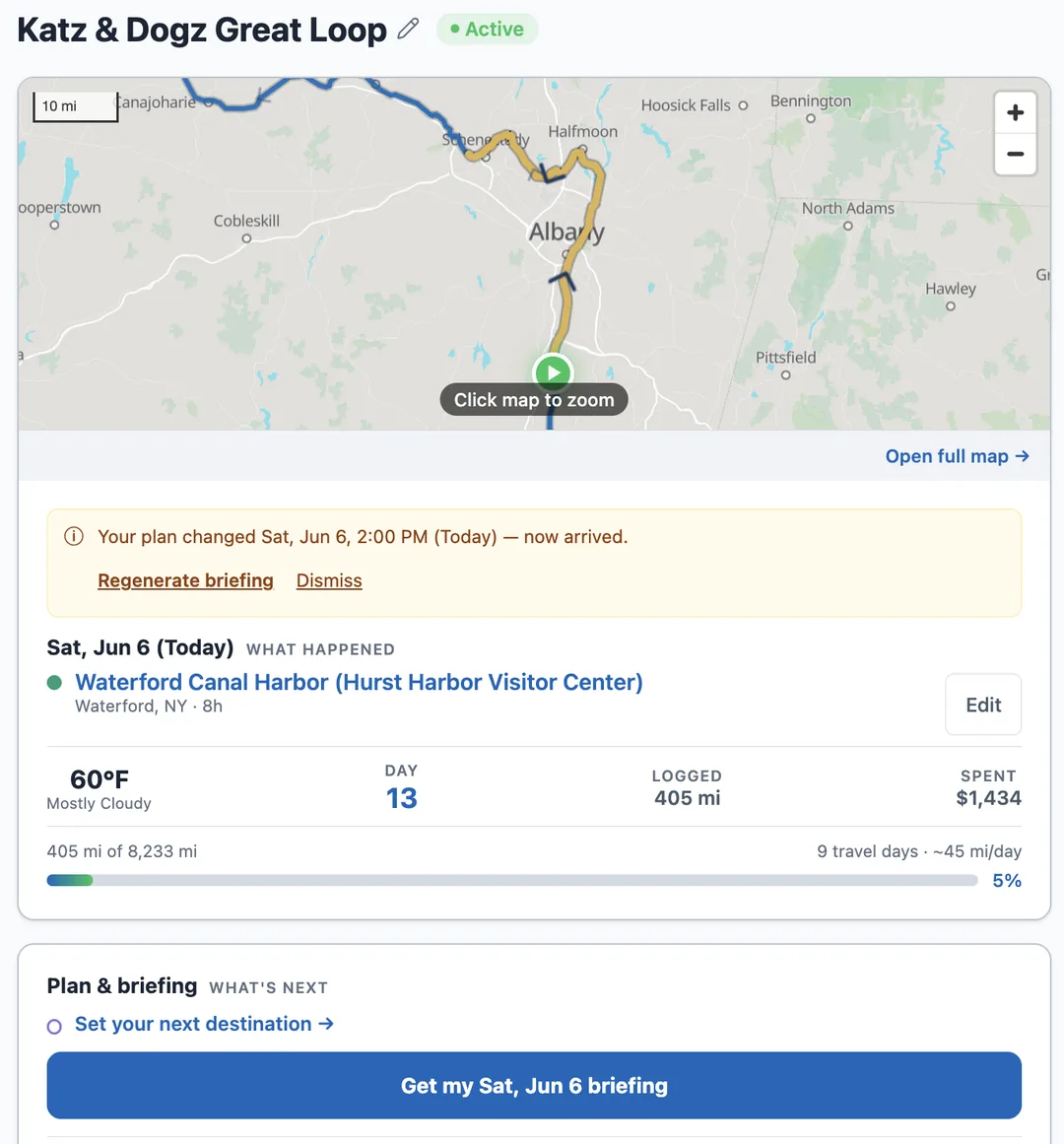
Three cards instead of five
My Trip used to be a long stack of overlapping panels — the map, the day's status, your plan, a separate briefing reader, and the log all competing for attention. It's now three clean cards. The first shows where you are: the route map with your current position, weather, and trip progress in one place. The second is your plan and its briefing, together. The third is your trip log.
Each fact appears once, where you'd look for it.
Your plan and its briefing, on one card
Setting where you're heading and reading the briefing that routes you there used to live in different places. Now the Plan & briefing card holds both, and a single line tells you exactly where you stand: a green "Briefing ready — covers this leg" when you're set, or a clear "Out of date — generated before you set this destination" with a one-tap regenerate when your plan has moved on.
The plan also keeps itself current. Log an arrival and it becomes your new starting point — yesterday's destination doesn't linger. Take a lay day and the card says plainly that your departure slid a day. And your morning briefing email now names the leg right in the subject line — where you're starting, where you're headed, and the date.
Dates and places, written out in full
Every date in the app and in your briefings now leads with the actual day — "Sat, Jun 6 (Today)" — never a bare "today" or "tomorrow." The log asks about a specific night: "Where are you stopping for the night of Fri, Jun 5?" When plans shift day to day, you always know exactly which day a label means.
Coordinates got the same treatment: anywhere you'd see raw latitude and longitude, the nearest town now appears beside it — "43.229°N, 76.299°W · Phoenix, NY" — so a pinned anchorage reads like a place, not a number.
Your Timeline and Dashboard, one tap away
The Trip Log card now has two dedicated buttons. Timeline opens your day-by-day log, where you can step into any day and edit it. Dashboard opens your trip's story in numbers — loop progress, miles, milestones, spending, and charts. Both used to hide behind one faint link; now each has its own button.