Save your own spots — My Places
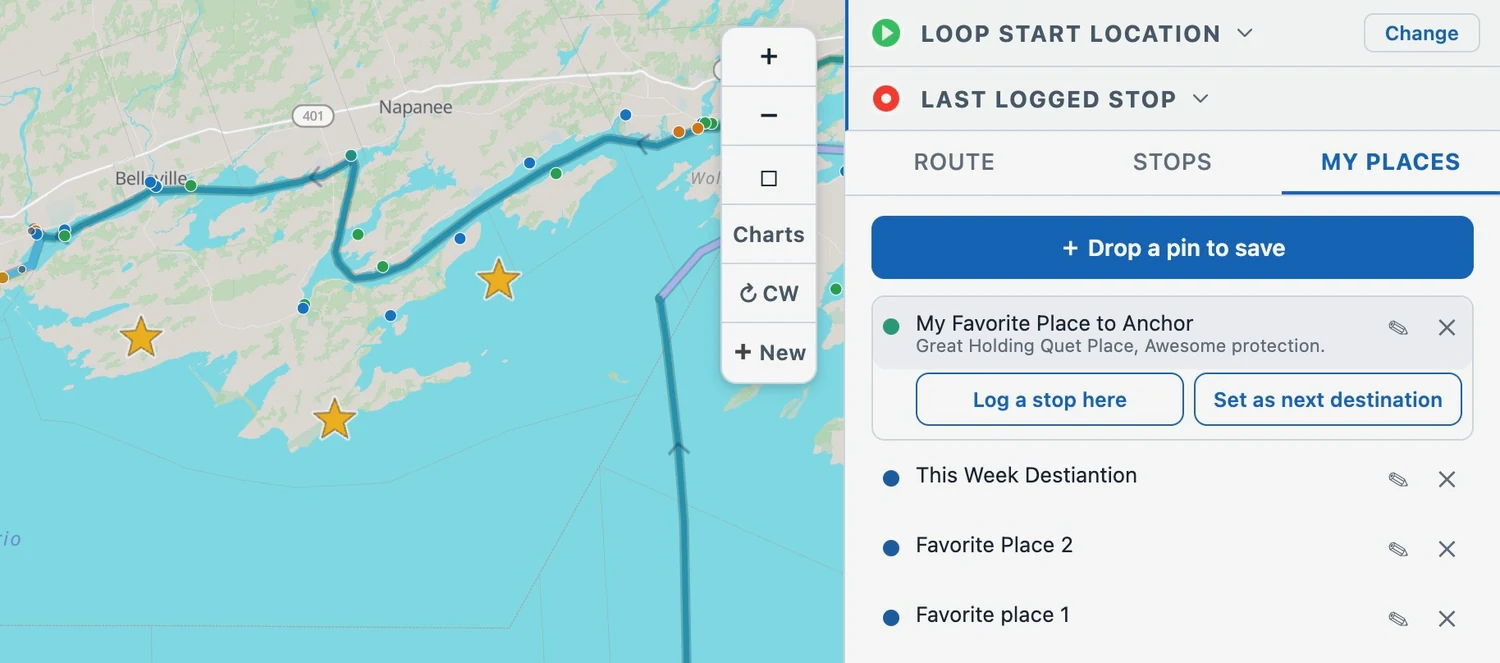
The map only ever showed our catalog of marinas, anchorages, and locks. Now you can save your own places too — a friend's dock, a quiet anchorage you found, a fuel stop worth remembering — drop a pin, name it, and it rides along on every trip.
Why we added it
Loopers pass places that aren't in our catalog all the time — a private dock, a cove you found yourself, the spot you want to come back to. The catalog is shared and curated, so it's not the place to keep your own marks. My Places is: a personal library that's yours alone and shows up on every trip.
Save a spot two ways
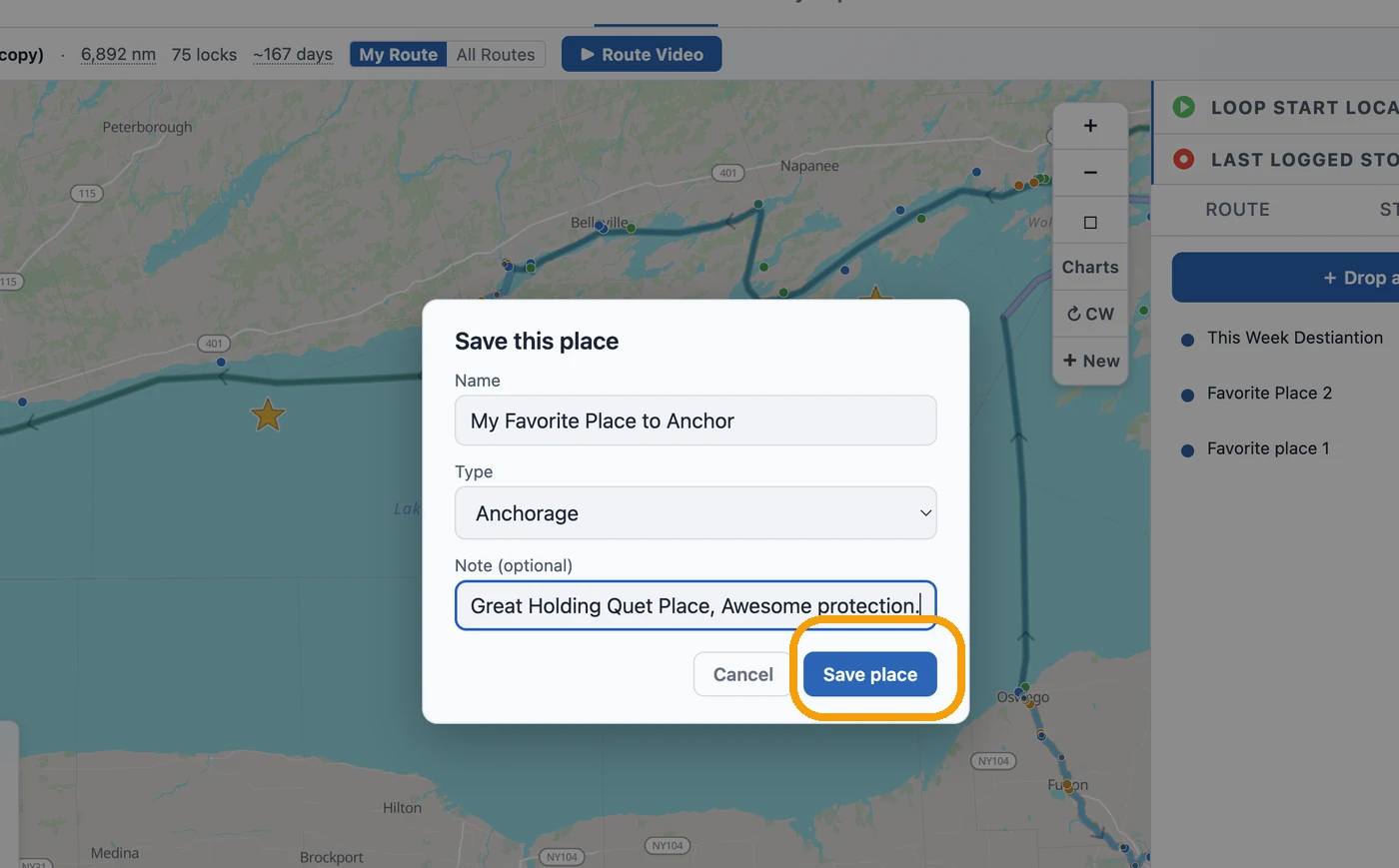
Open the My Places tab in the planner and tap + Drop a pin to save, then tap the map where you want it — give it a name, pick a type, add a note, and tap Save place. Already looking at a marina or anchorage on the map? Open its card and tap ★ Save to My Places.
They show up as gold stars on the map
Every saved place is a gold star on the map, sitting on top of our catalog dots so it's easy to spot. A My Places row in the map legend turns your stars on and off whenever you want a cleaner view.
Use a saved place — log it or head for it
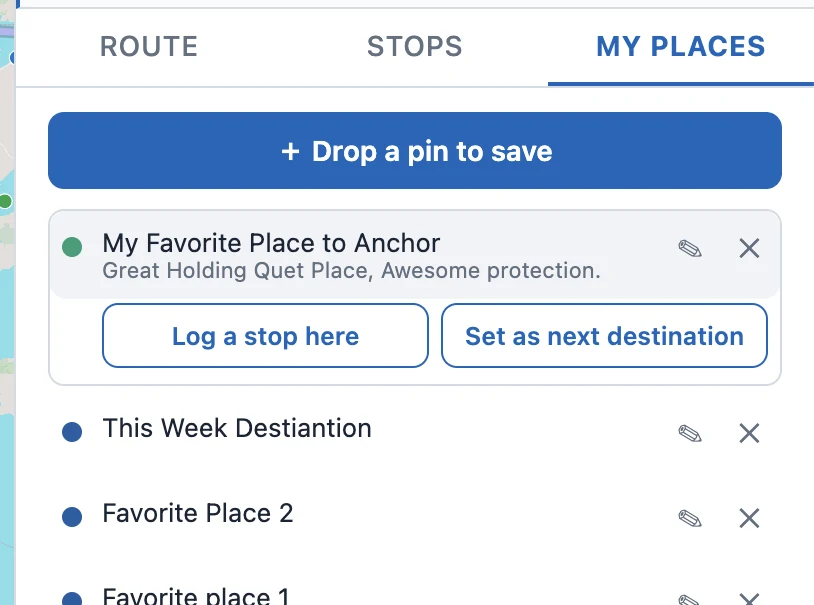
Tap a star on the map (or a row in the list) to open it. From there you can Log a stop here or Set as next destination — and when you're setting tonight's stop or tomorrow's destination, your saved places show up right in the search, so you can pick one without hunting for its pin. Edit a place's name, type, or note, or remove it, anytime from the list.