My Trip, reorganized
My Trip is the screen most Loopers open every morning, and it had grown into a stack of cards that didn't always agree with each other. We gave it a top-to-bottom rewrite: one connected story from today, to your last stop, to what's next — same actions you already know, just easier to find and read.
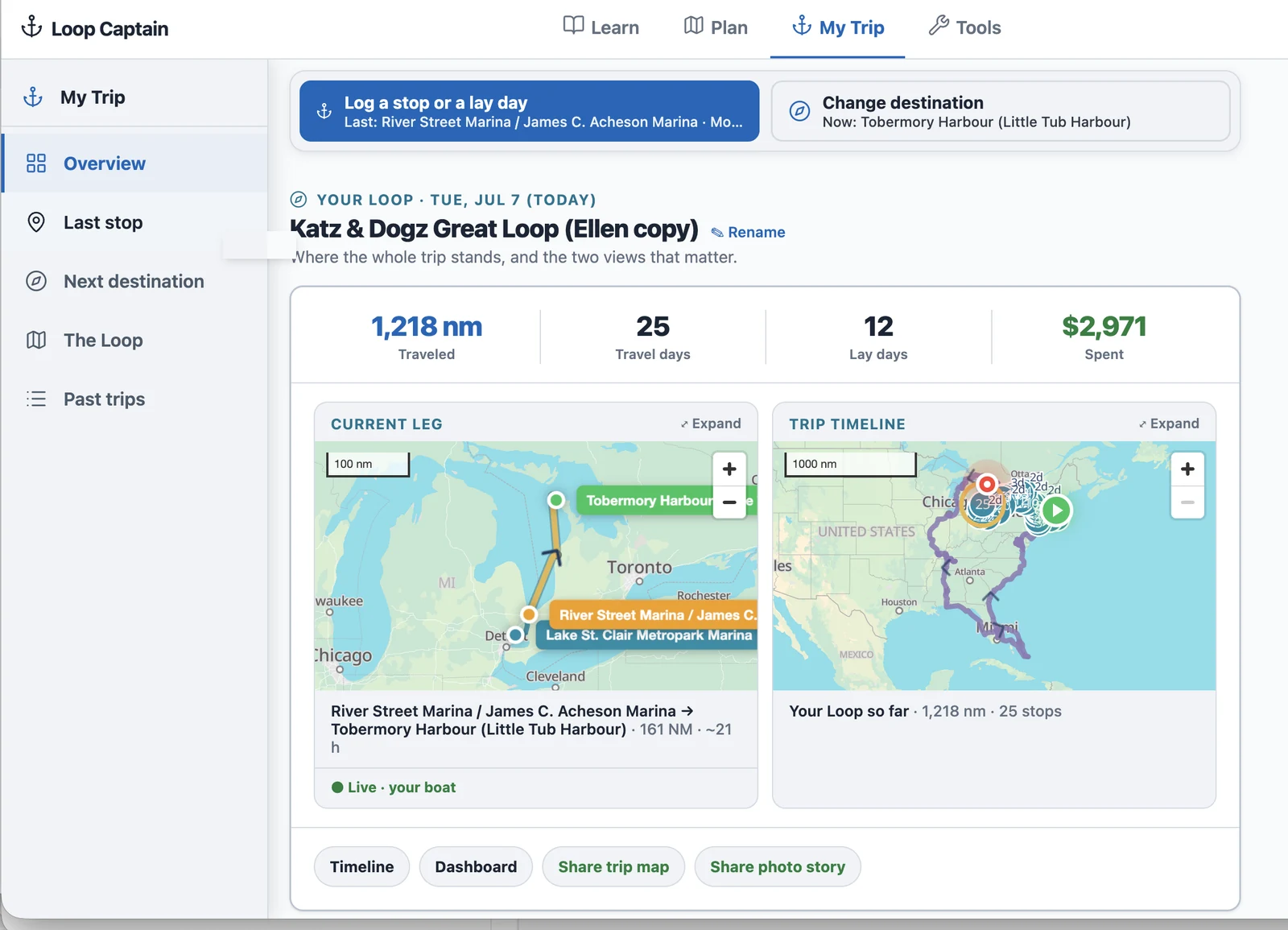
One page, five sections, a rail to jump around
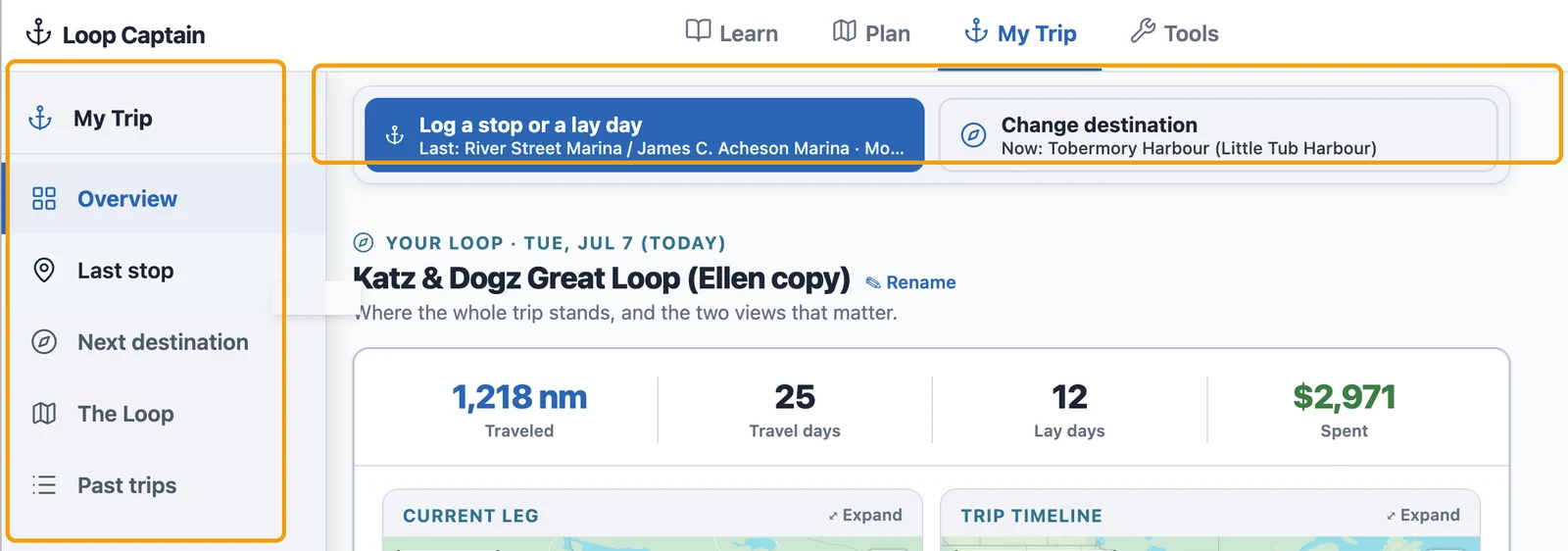
The page now reads top to bottom as one story: Overview, Last stop, Next destination, The Loop, and Past trips. A rail down the left side lists all five — tap any of them to jump straight there, and it highlights as you scroll so you always know where you are. Log a stop (or a lay day) and Set — or change — your next destination sit in a pinned bar at the very top, on every section, so you never have to hunt for them.
Your last stop, at a glance
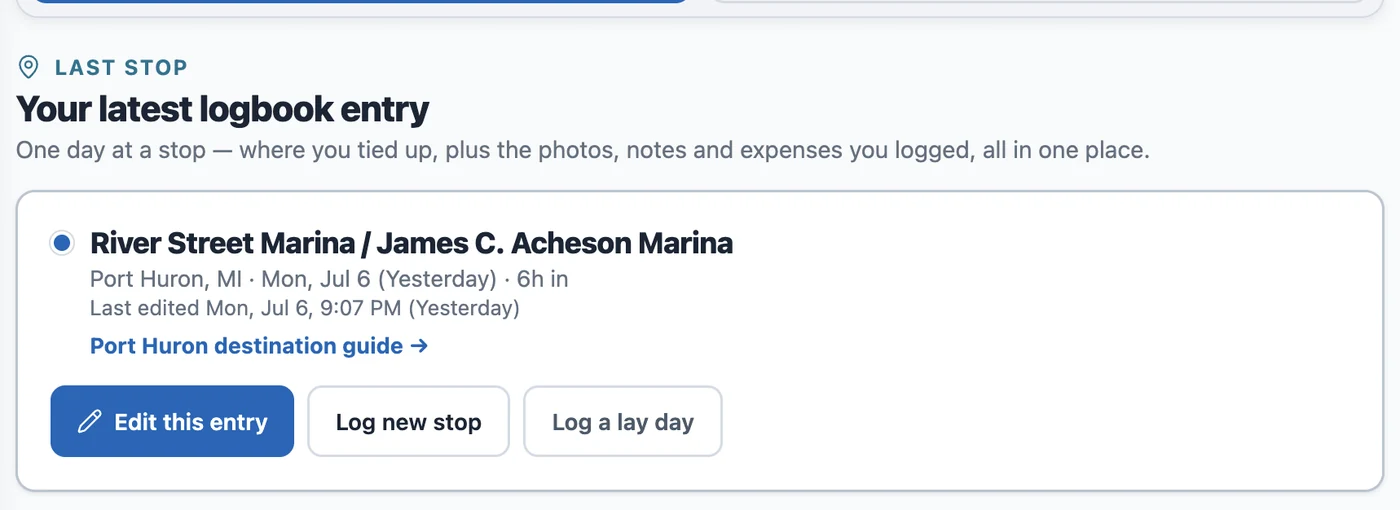
The Last stop section is a clean receipt of your most recent log entry — the stop's name, when you logged it, a photo strip, your note, and what you spent — with a straight line back into the log form if you want to edit or add more.
Last stop and next destination — two different questions, kept apart
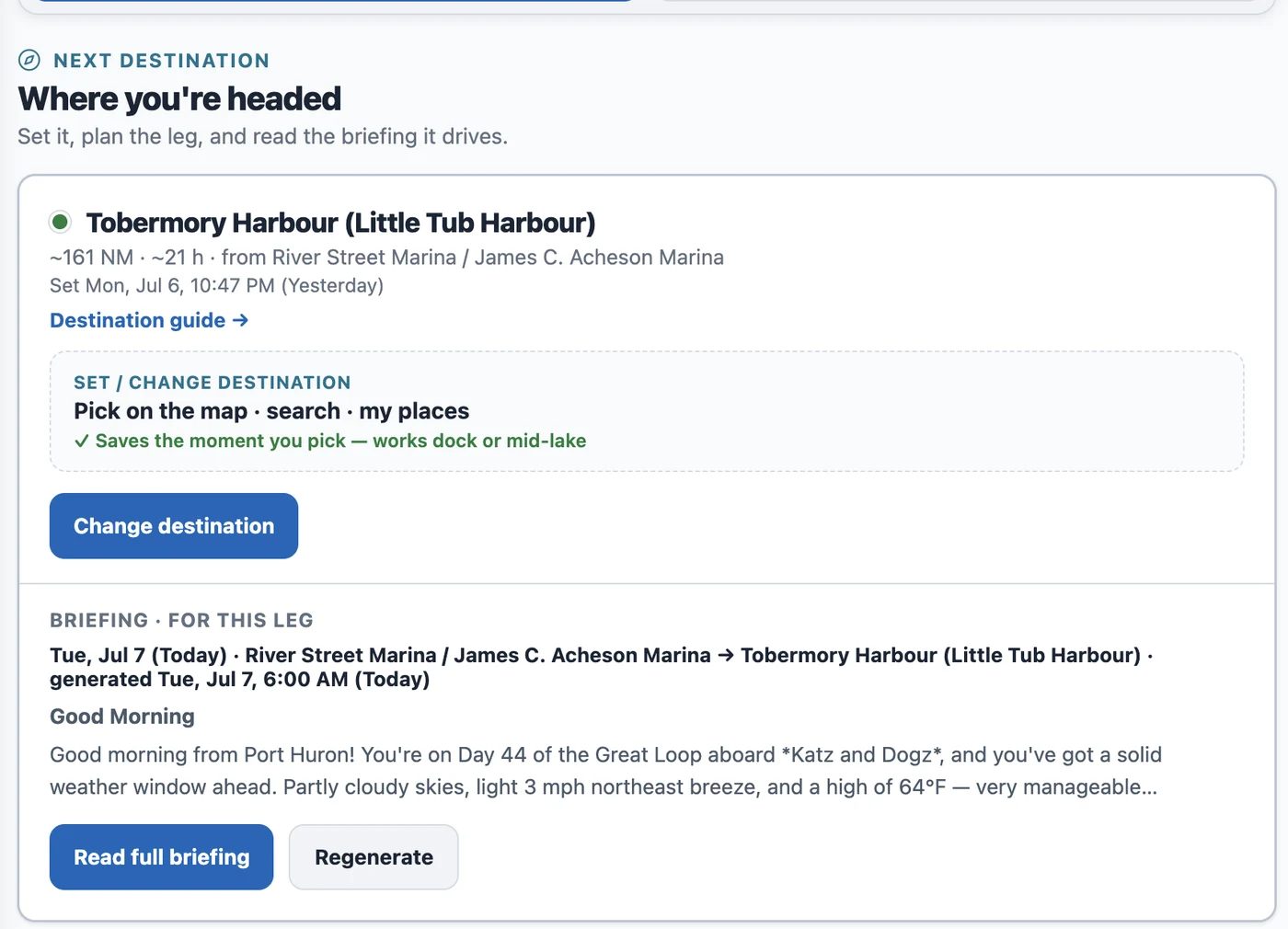
Logging where you tied up and setting where you're headed next used to blur together, and that mix-up was one of the most common points of confusion we heard about. They're different questions, so now they live in different places: Last stop is your logbook; Next destination is its own section, with its own way to pick a spot — map, search, or My Places — and the leg briefing for that choice right below it, so you can see the run before you commit to it.
The Loop: everything else, one tap away
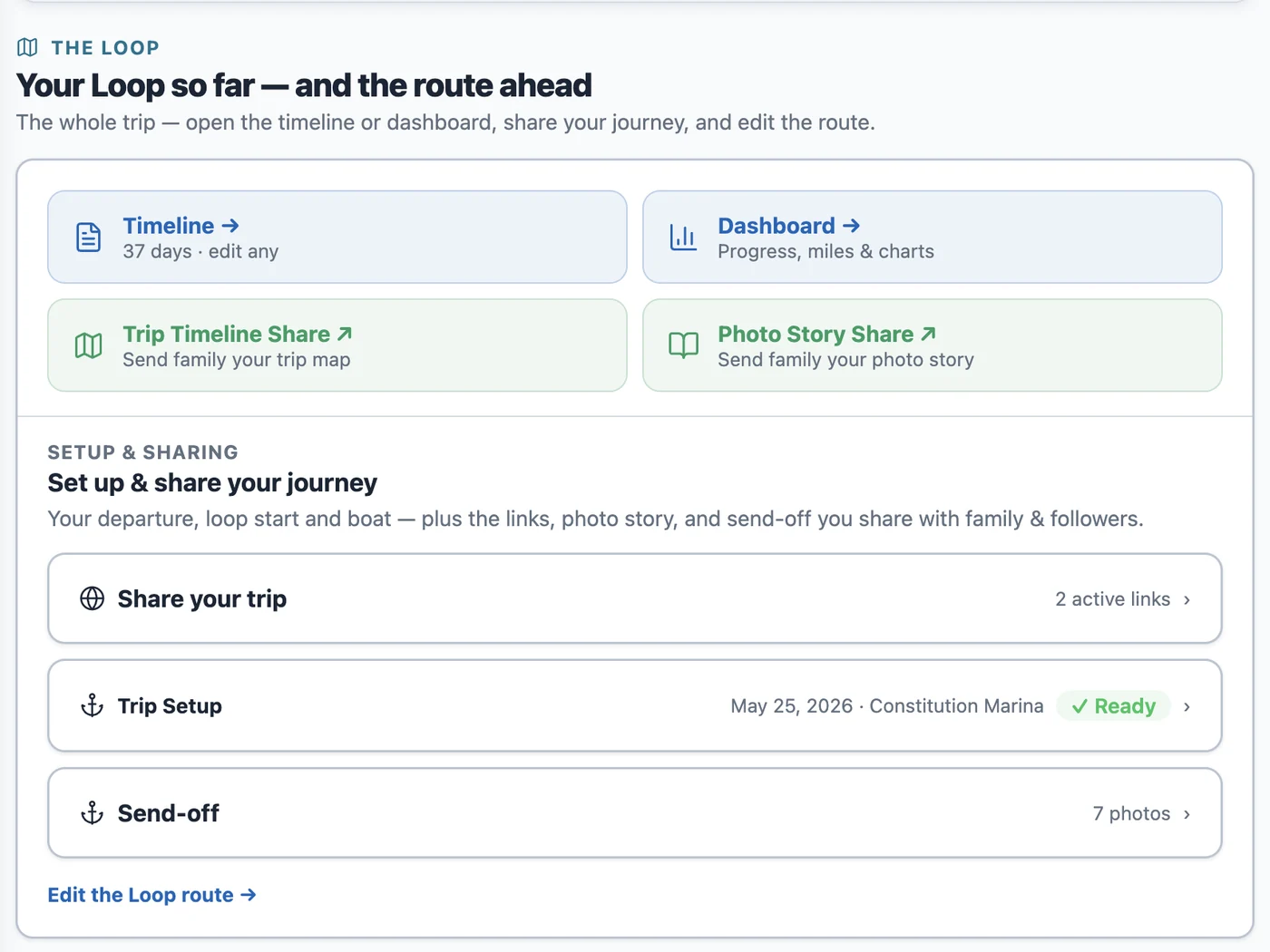
The Loop is the rest of your trip in one place: the Timeline and Dashboard views, the links you send family (trip map, photo story), and the Trip Setup and Send-off cards. They used to live scattered under separate, oddly named sections — now they're one tap from the rail.