The Library — Learn, reorganized around how you actually plan
The Learn tab is now the Library: the same guides and knowledge, reorganized into six clear shelves — with a clickable map of the waterways, everything cross-linked by cruising ground, and a real Loop you can explore two ways.
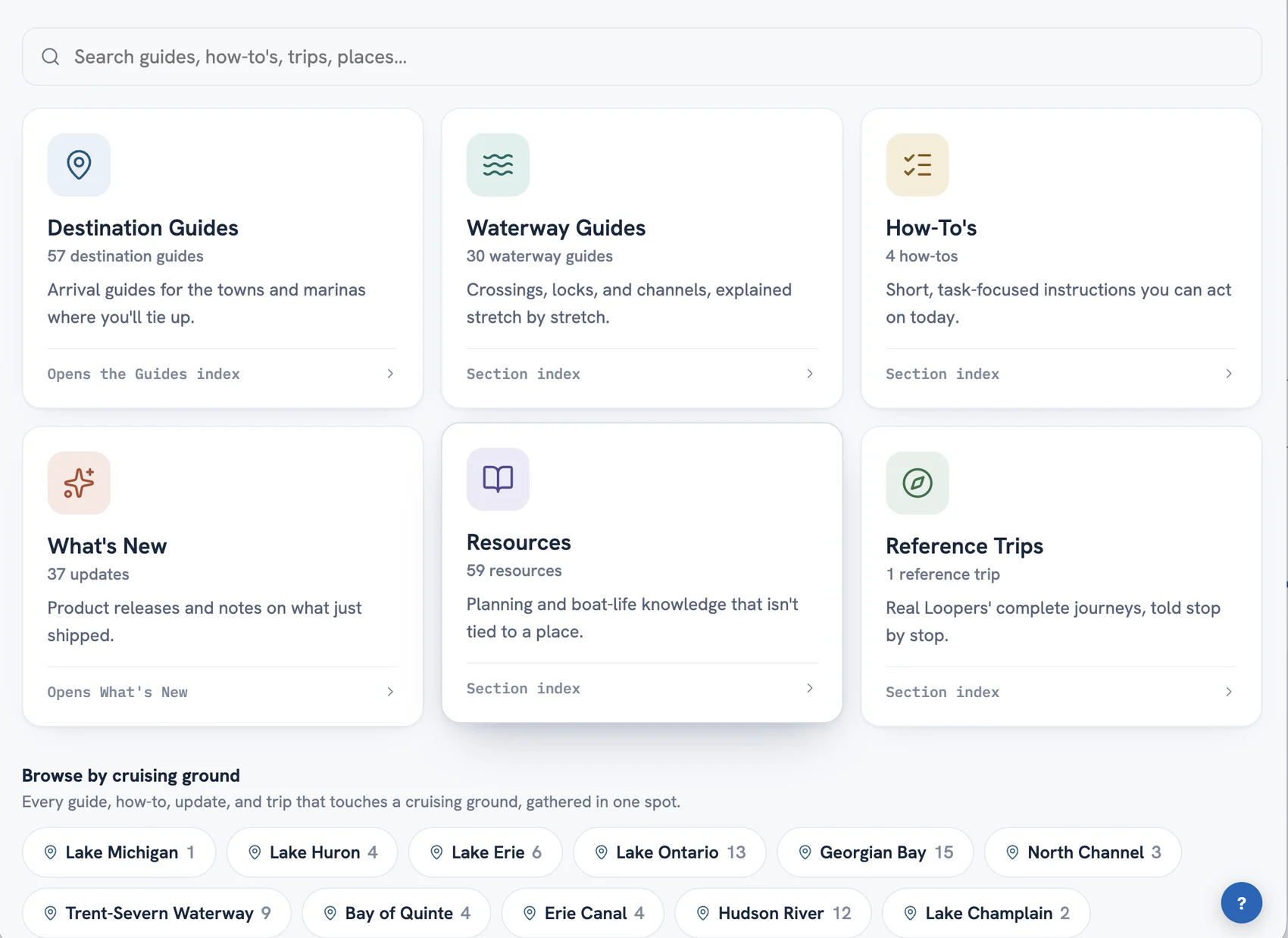
Six shelves instead of one long page
Learn had grown into one long page trying to hold everything. The Library gives each kind of knowledge its own shelf: Destination Guides for the towns and marinas where you'll tie up, Waterway Guides for the crossings and locks between them, How-To's for quick tasks, What's New for what just shipped, Resources for the planning and boat-life knowledge that isn't tied to a place, and Reference Trips for complete real journeys.
Every shelf has its own landing page, so you can send someone straight to the waterway guides or the resources shelf with a plain link.
Browse by cruising ground
Nineteen cruising grounds — Georgian Bay, the Trent-Severn, the Chesapeake, the Keys, and the rest — now act as the Library's spine. Pick one and you get everything Loop Captain has about those waters, gathered in one list: the destination guides, the waterway knowledge, the updates, and the trips that passed through.
The waterways, on a map
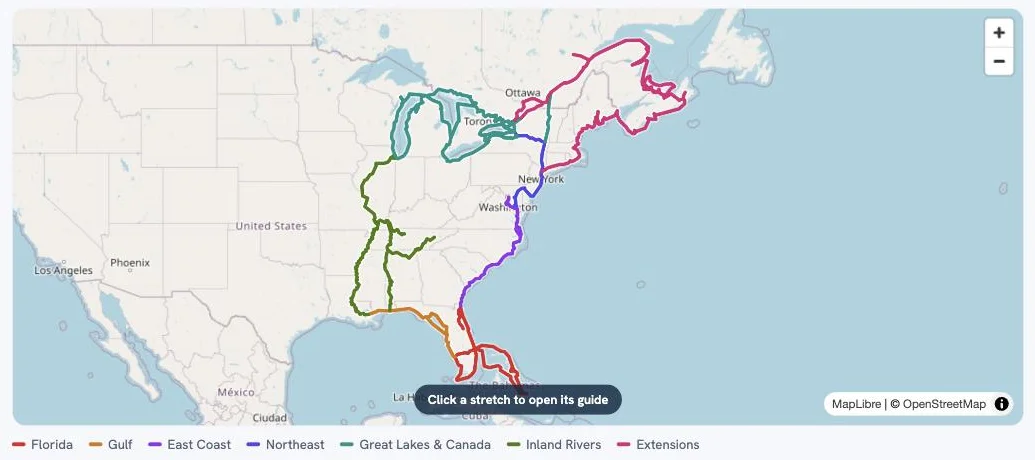
The Waterway Guides shelf opens with the Loop drawn as a map — every stretch colored by region, from the Erie Canal to the Gulf crossing to the Down East extension. Click any stretch and its guide opens. It's the fastest way to answer the question every Looper starts with: what's the water ahead actually like?
One trip, told two ways
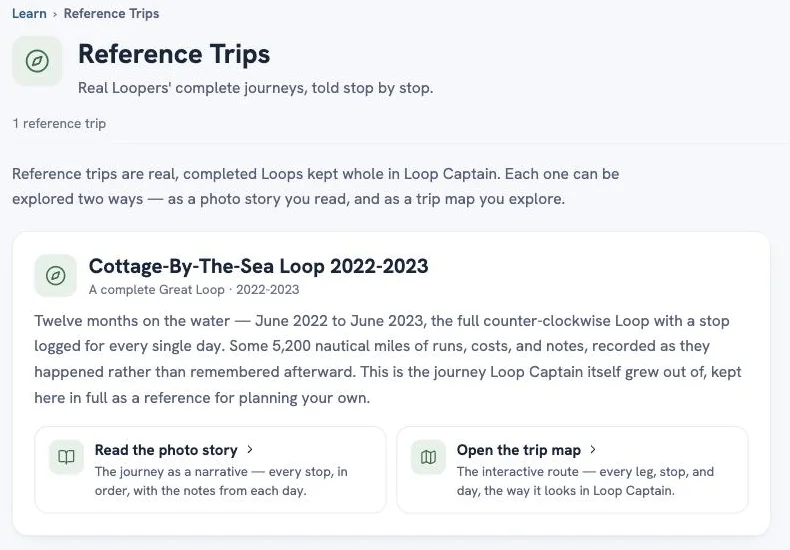
The Reference Trips shelf holds the Cottage-By-The-Sea Loop 2022-2023 — a complete Great Loop with a stop logged for every single day of a twelve-month, counter-clockwise trip. You can read it as a photo story, stop by stop, or open the trip map and explore every leg and day the way it looks inside Loop Captain. More reference trips are coming; real trips are some of the most useful planning material there is.
Little things that matter
Type is bigger and lines are more comfortable to read. Links open in the tab you're in, so the back button always brings you home. Press / anywhere in the Library to jump to search. Destination guides now live at loopcaptain.com/guides/ (old links redirect automatically). And What's New posts — including this one — now have real pages of their own you can share.