New: Can My Boat Do the Loop?, sharing a place, and a map in your briefing
A new tool answers the first question every Looper asks. You can now send a place to another Loop Captain user, and your morning briefing opens a map of the day's leg. Plus three fixes.
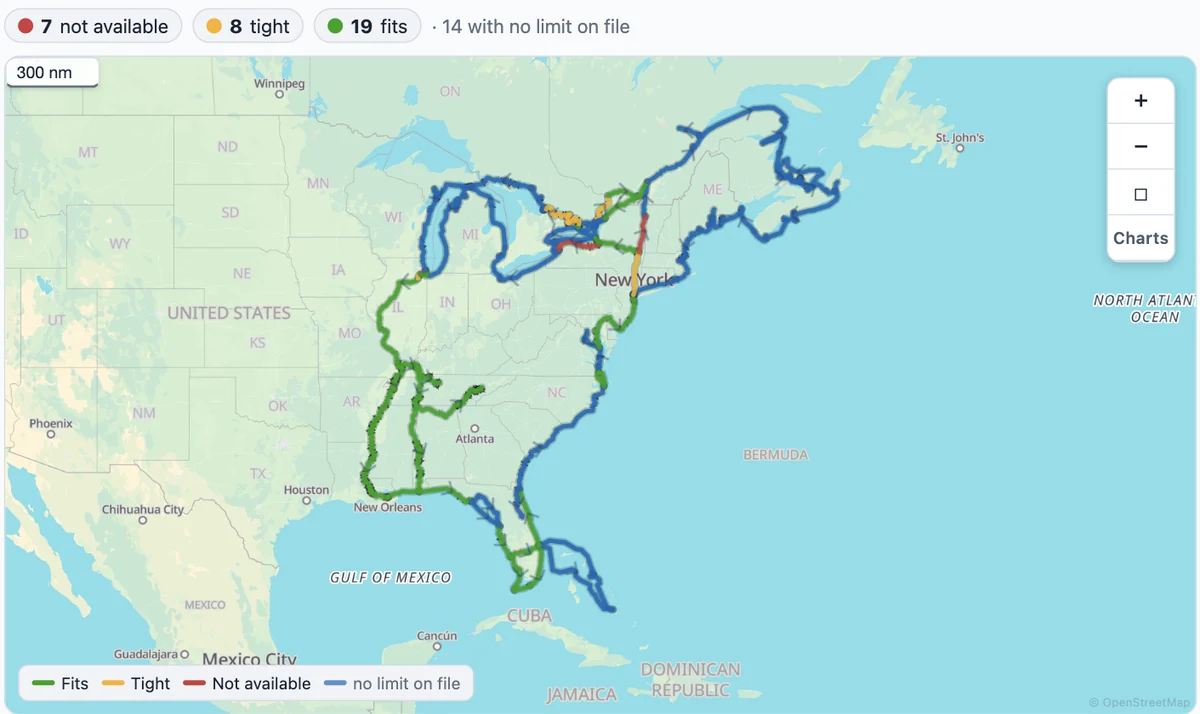
Can My Boat Do the Loop?
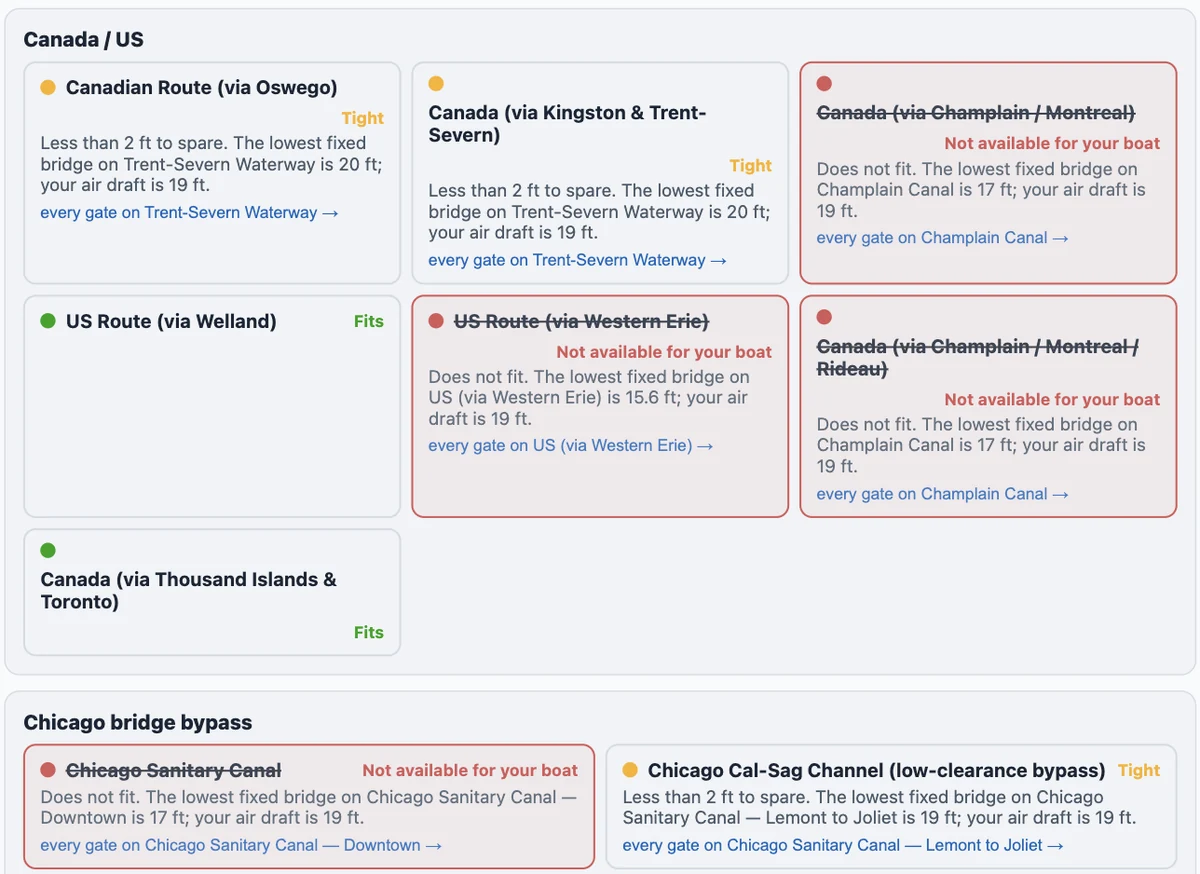
Tools → Can My Boat Do the Loop?. Put in your air draft, draft, length, beam and range — signed in, it fills them from your boat profile; signed out, it needs no account. The map paints every route option by whether your boat fits, and each option card says why: with a 19 ft air draft, the Champlain Canal (17 ft) is "Not available for your boat" and the Trent-Severn (20 ft) is Tight. A limit we don't have on file says "Not checked" — never a guess.
Share a place with another captain
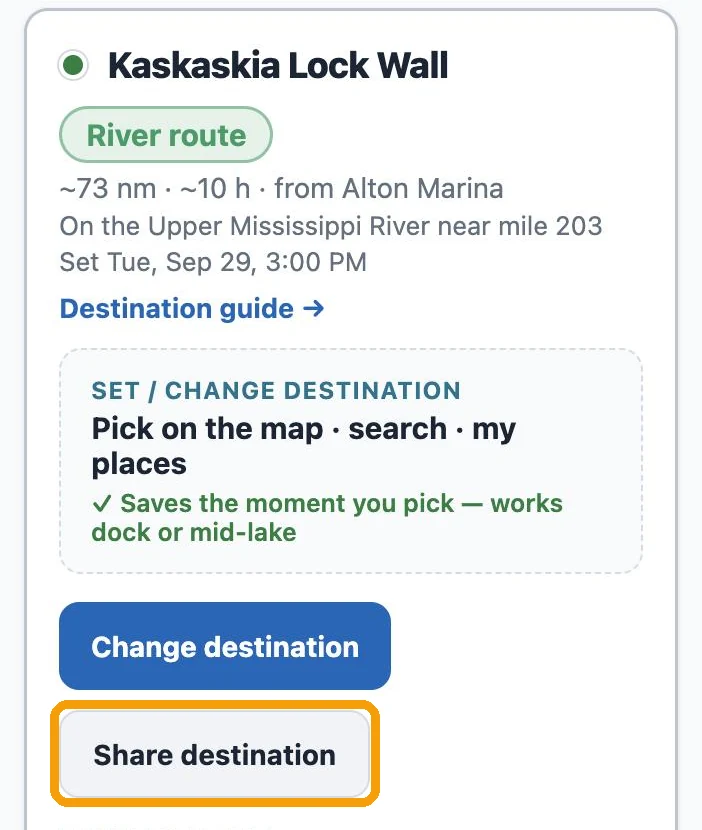
Your next destination ("Share destination" on My Trip), your last stop ("Share this stop"), a stop in your log, or any marina on the map: tap it, pick someone you've shared with before or type the email they use for Loop Captain, and add a note if you like ("leaving 7am"). It lands at the top of their My Trip — "Henry Katz shared their next destination" — with "Set as my next destination" and "Log as my stop". Nothing changes on their trip until they press one.
A map in your morning briefing
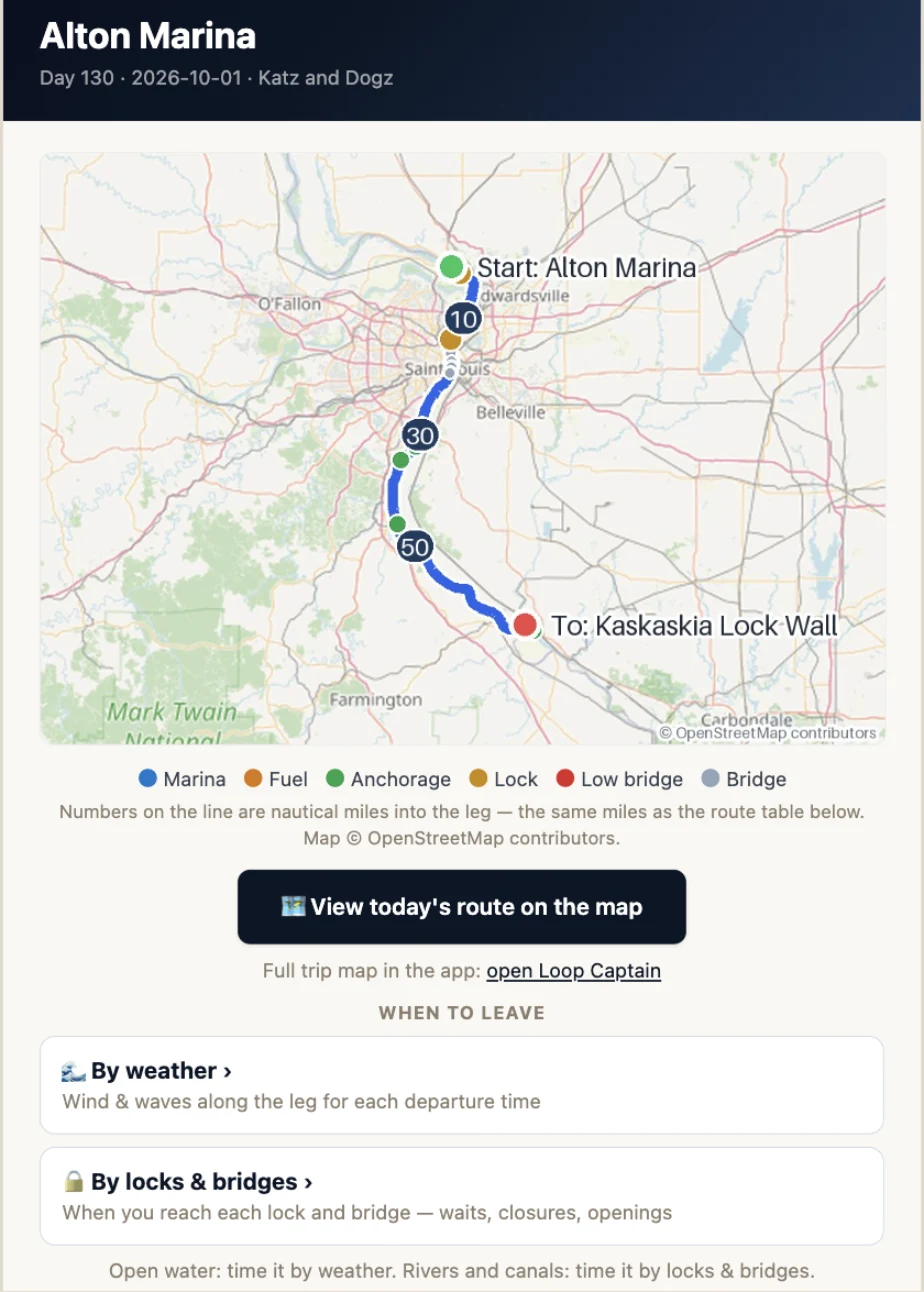
The briefing email now carries a map of the day's leg: the route line, mile markers in your units, a numbered dot for every stop along the way. Tap it and a leg page opens — street or satellite view, the same numbers as the briefing's table, each stop's details, no login needed. Under it, "When to leave": By weather opens the Leg Departure Planner, By locks & bridges the Lock & Bridge Planner; the same pair sits on My Trip whenever you have a next destination. Bridges are judged at your boat's lowered air draft when you've set one.
Also fixed
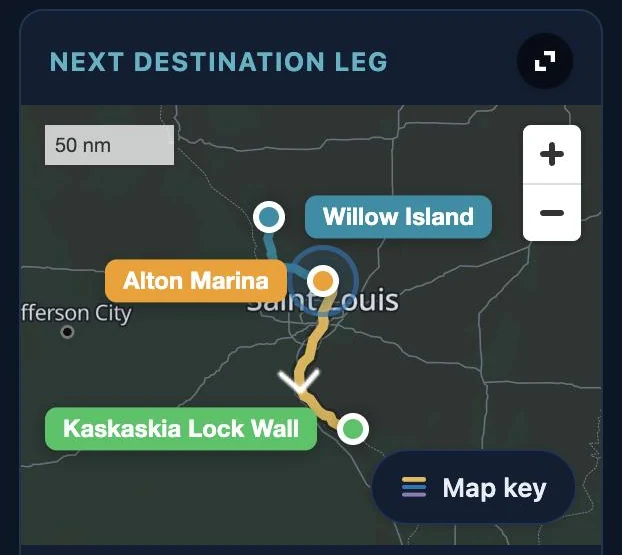
- Dark mode: maps were near black. Land, water, roads and names now stand apart.
- iPhone: My Trip's bottom bar stays at the bottom when you scroll.
- Route builder: changing one fork — through Chicago instead of the Cal-Sag, say — keeps the rest of your Loop instead of making you pick every fork again.